

Room measurements
Add floor and wall measurements room by room, keeping dimensions attached to the job they belong to.

TileIQ brings the parts of a tiling job that usually live in notebooks, calculators, messages and spreadsheets into one practical workflow.
Download the app and send real quotes free for 2 weeks, without signing up.
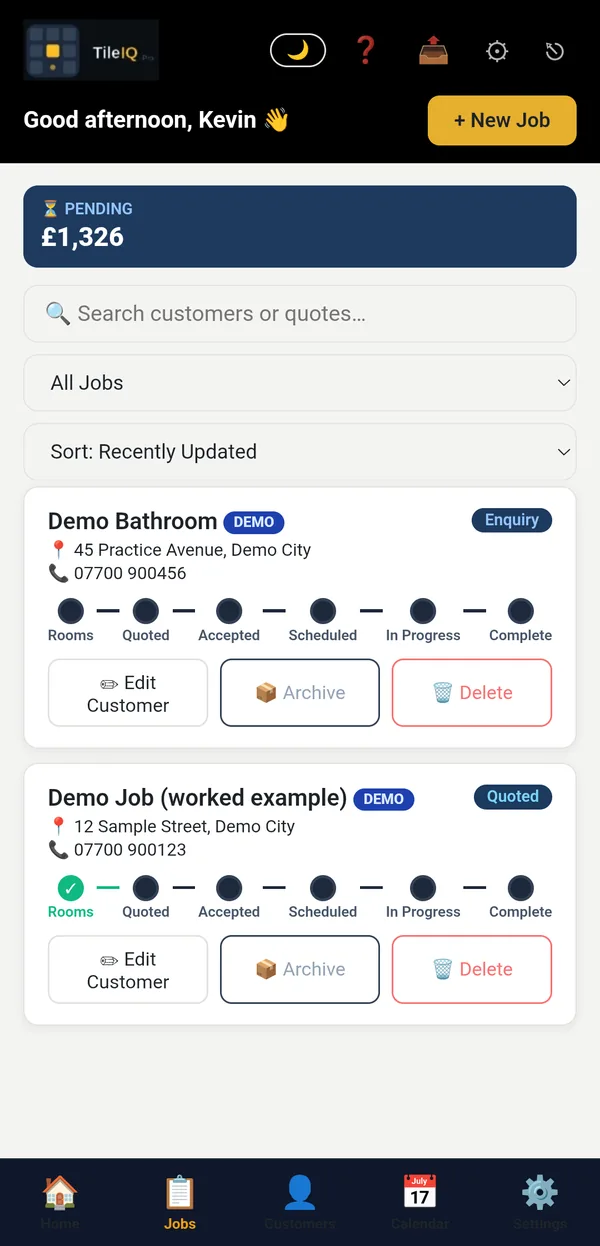
Measure each room by hand or with a Leica Disto, and TileIQ works out the tiles, adhesive, grout and wastage for every wall and floor. It then prices the labour using your own rates, with multipliers for different tile types. Want a quick figure first? Try the free tile calculator or labour calculator.
Capture the information you need on site and turn it into useful job figures without doing the same work twice.
Add floor and wall measurements room by room, keeping dimensions attached to the job they belong to.
Connect a compatible Leica Disto by Bluetooth and send measurements directly into TileIQ.
See Leica workflow →Calculate tiles and associated materials from the measurements entered for the room.
Keep the materials and preparation requirements for a job together instead of building separate lists.
Account for different tile types and labour rate multipliers when building the job price.
Keep working with job data when a reliable connection is not available, then sync when you are back online.
Build it from the measurements you have already taken, so materials, labour, preparation and VAT are broken down without retyping anything. Send it by email or WhatsApp, then see whether the customer has accepted. More on the tiling quote app and estimating software.
Build, send and track customer-facing quotes without recreating the job somewhere else.
Create customer-ready quotes using the room, materials, labour and pricing already held in the job.
Use TileIQ Pro’s AI-assisted quote descriptions to help turn job details into clearer customer-facing wording.
Send quote documents directly to the customer from the TileIQ workflow.
Share quotes through WhatsApp when that is how your customers prefer to communicate.
See whether a quote has been sent and track customer responses instead of chasing through message threads.
Keep your quote settings, wording and terms consistent across your business.
Yes. Every job moves through one pipeline (enquiry, surveyed, quoted, accepted, scheduled, in progress, complete), with the customer record, calendar and invoice attached to it. See tiling job management or read why every tiler needs a simple job management system.
Once a customer says yes, TileIQ keeps the useful information together so the job can move forward.
Save customer details and reuse them across jobs instead of entering the same information repeatedly.
Create, edit and view tiling jobs with rooms, descriptions, totals and status in one place.
Schedule jobs and use the calendar view to see what work is booked in on a given day.
Keep track of where work sits in the pipeline, from quote through to the active job.
Keep customer communication associated with the workflow rather than scattered across unrelated notes.
TileIQ Pro is designed to become the working home for your tiling jobs rather than a one-off calculator.
Use the job information you already have to create the next document and pass figures into your accounting workflow.
Create invoice documents from the TileIQ job workflow rather than rebuilding the customer and job details from scratch.
Send invoice PDFs to customers by email or share them through your preferred messaging workflow.
TileIQ includes accounting export workflows to reduce duplicated entry once the job reaches accounts.
Create invoices in FreeAgent from the TileIQ accounting workflow.
TileIQ includes a QuickBooks invoice integration for moving completed job information into accounts.
Send invoices from TileIQ straight into Xero, without re-entering the customer or job details.
Capture proof of your best work and put it in front of the people who matter — the customer, and everyone who might hire you next.
Add reference photos before work starts, kept with the job for your own record — never shown to the customer.
Photograph the completed job to build a record of your best work, ready to turn into marketing material.
Turn finished job photos into a ready-to-share caption with AI, then post straight to Facebook, Instagram and more in a couple of taps.
Automatically email customers asking for a Google review a few days after the job’s marked complete — timed and worded to your liking in Settings.
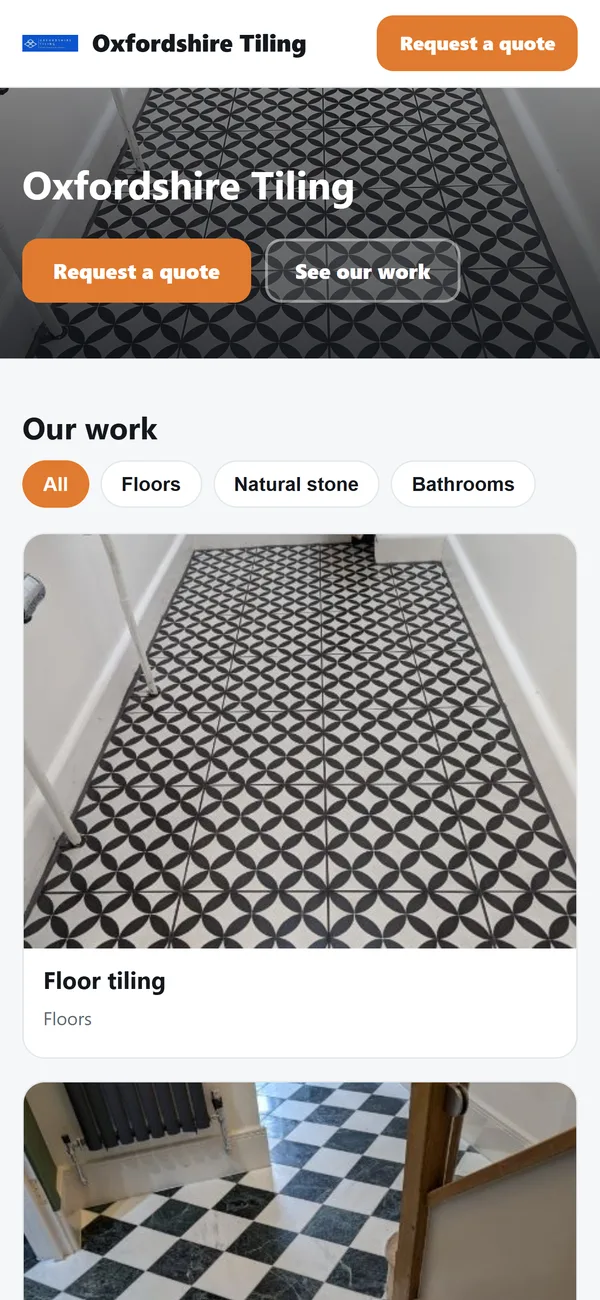
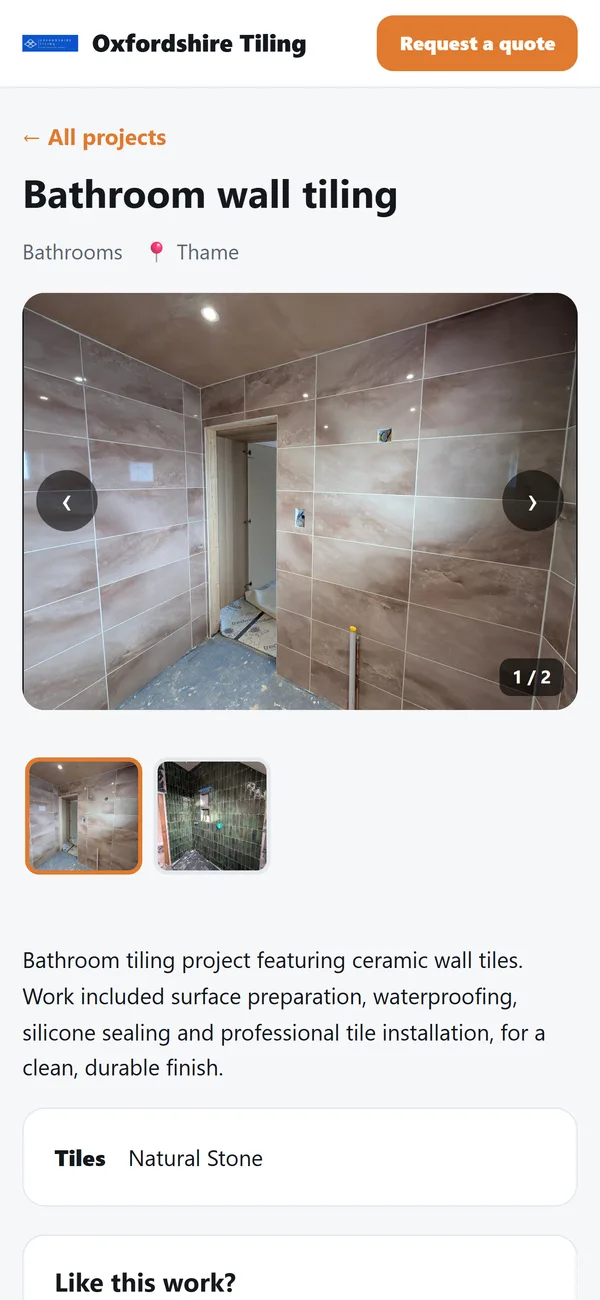
Yes. Publish your finished jobs from TileIQ to a ready-made portfolio page with its own link: photo galleries, a page for each project and a Request a quote button. There is nothing to design, host or code.
Only the projects, photos and business details you choose to publish are shown. Customer details never appear. Read how to create a tiling portfolio without a website.
Publish finished-job photos to your portfolio, grouped into projects and filtered by type of work, such as floors, bathrooms or natural stone.
Every published project gets its own page and link to send by WhatsApp, Facebook or email, with a photo preview.
Already own a web address? Show your portfolio on it, for example work.yourbusiness.co.uk, once the domain is verified.
A Request a quote button on every page sends the enquiry straight into TileIQ as a new job, ready to survey and quote.
Yes. Download TileIQ and you can use the app and send unlimited quotes to customers free for 2 weeks without signing up: no account, no card. After that, start a 30-day free trial. If you then want to keep going, TileIQ Pro is £9.99 a month or £79.99 a year at founding-member pricing.
Yes. Download TileIQ from the App Store or Google Play and you can use the app and send unlimited quotes to customers free for 2 weeks without signing up. After that, start a 30-day free trial to keep sending.
Yes. You can measure, quote and manage jobs with no signal, and everything syncs automatically once you are back online.
No. A Leica Disto connected by Bluetooth sends measurements straight into the app, but you can type measurements in by hand just as well. See the Leica Disto tiling app.
Yes. TileIQ is on the App Store and Google Play, and your jobs sync across your devices.
Yes. You can send invoices from TileIQ into Xero, QuickBooks or FreeAgent, so you do not have to re-enter the customer or job details. More on the invoice app for tilers.
No. Your portfolio is hosted for you with its own link that you can share anywhere. If you already own a domain name, you can show the portfolio on it instead. See how to create a tiling portfolio without a website.
Measure, calculate and send a professional quote in minutes.
Read more →Turn an accepted quote into an invoice, and get paid faster.
Read more →Consistent, accurate estimates instead of guesswork.
Read more →Track every job from enquiry to invoice, in one dashboard.
Read more →Free calculator for tiles, adhesive and grout — try it now.
Try the calculator →Professional UK quotes with materials, labour and VAT broken down.
Read more →Send laser measurements straight into TileIQ.
Read more →Day rate vs price per m², and a worked example.
Read the guide →Everything from enquiry to invoice, built for the trade.
Read more →