
Pick your best 6–12 jobs and photograph each one well. For every project, write a few lines: the room, the area, the tile and the work involved. Get the homeowner's permission before you publish.
Put it all on one shareable page with a way to contact you, then link to it from your Google profile, your social media bios, your quotes and your van.
Customers want to see your work before they invite you round. A website is one way to show it, but it's not the only way, and for most tilers it's not the quickest. What matters is that your best jobs are easy to find, look good, and lead straight to a way to contact you.
Choose the right jobs
- Choose quality over quantity. Show 6–12 strong projects, not 80 photos.
- Show the range of work you want more of: bathrooms, wet rooms, large format, herringbone, floors.
- Include before-and-after shots where you have them. Prep work is invisible otherwise.
Take better photos on site
- Clean up first: remove tools and dust sheets, and wipe off the grout haze.
- Use daylight and the room lights. Avoid the flash, which shows up every lip and shadow.
- Take one wide shot from the doorway, one straight-on shot of the main wall, and close-ups of details like mitres, niches and pattern changes.
- Hold the phone level. Leaning walls make good tiling look bad.
Describe each project
A few lines is enough: the room and the town ("Family bathroom, Thame"), the tile and layout, and what the work involved, such as tanking, levelling or niches. It helps customers picture their own job, and it helps your page show up in searches for those words.
Get permission and protect privacy
Ask the homeowner before you publish photos of their home. Most are happy to say yes. Keep anything that identifies them out of shot and out of the description: house numbers, family photos, letters, the outside of the property. Use the town rather than the street.
Where to put it
| Option | Pros | Cons |
|---|---|---|
| Facebook or Instagram page | Free, familiar, easy to share | Older posts get buried. Not everyone uses them. You don't control the layout. |
| Google Business Profile photos | Seen by people searching locally | Hard to group photos by project. Limited description. |
| Phone album on WhatsApp | Instant to share on a visit | Not searchable. Nothing for customers to come back to. |
| Portfolio page | Organised by project, with a contact button and one link that works everywhere | Needs setting up (TileIQ does this from your jobs) |
The best approach is usually one portfolio link that everything else points to: your Google profile, Facebook and Instagram bios, email signature, quotes, business cards and a QR code on the van.
Building a portfolio with TileIQ
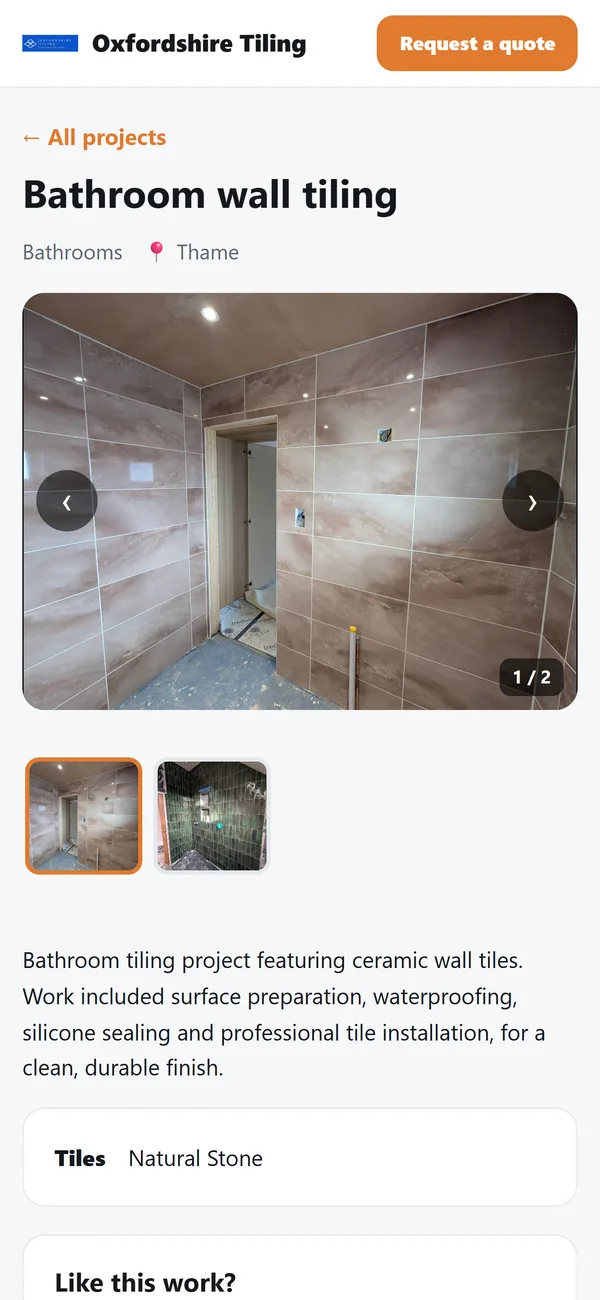
TileIQ includes a portfolio page you build from your finished jobs. Each project has photos, a category, the town and a description. The page has a Request a quote button, and enquiries come straight to you. You can share a project or your whole portfolio:
- WhatsApp, Facebook and email: share the link, which shows the cover photo as a preview.
- Instagram and TikTok: these apps don't let other apps post links, so TileIQ sends them the photos and copies a caption for you to paste.
The portfolio can use a tile-iq.com address, or a domain you already own.
Sources
- ICO: What is personal data? · information that identifies a person, which can include photos
Prices change. Figures were checked on 20 October 2026; always check current costs and your own figures before quoting.